
Umbrella Planter Box SVG – Flower Basket Laser Cut File (DXF, CDR, AI, PDF)
3.33 $
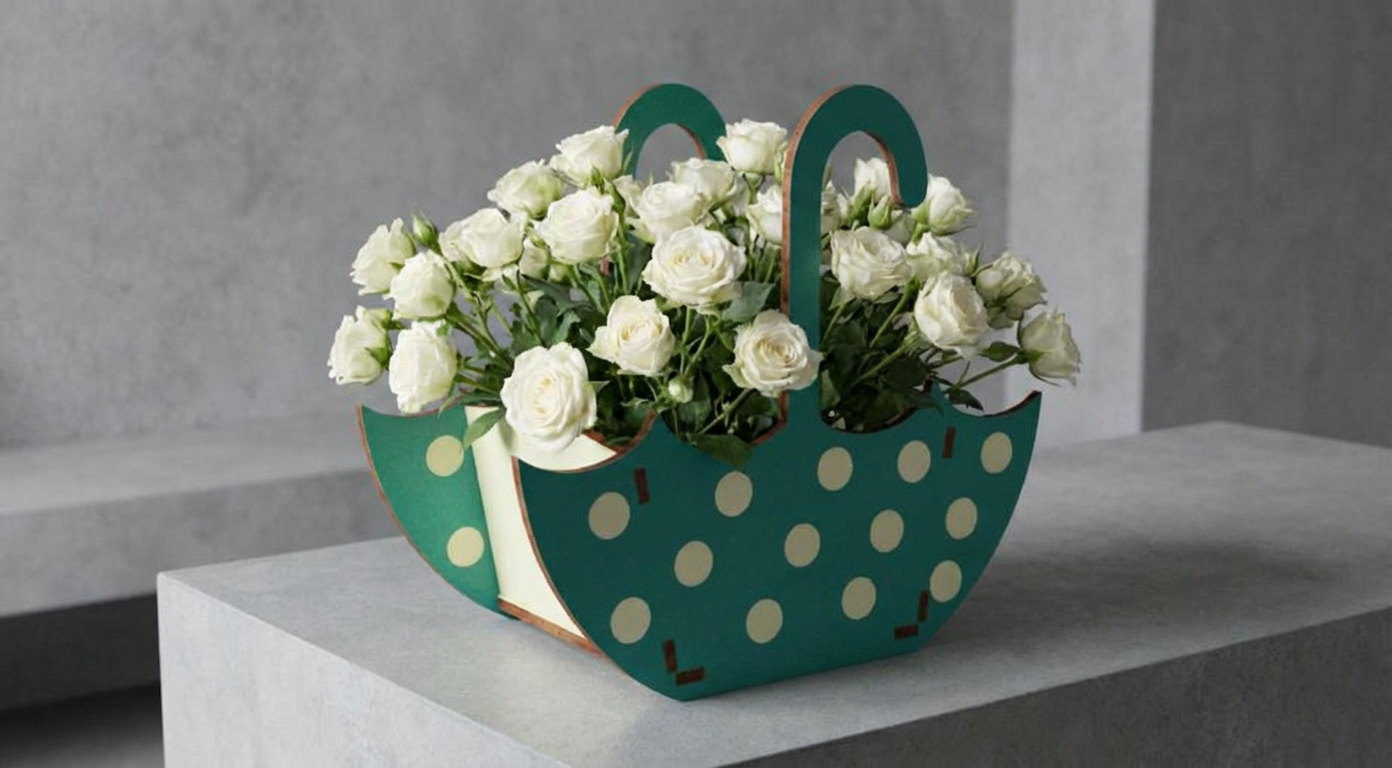
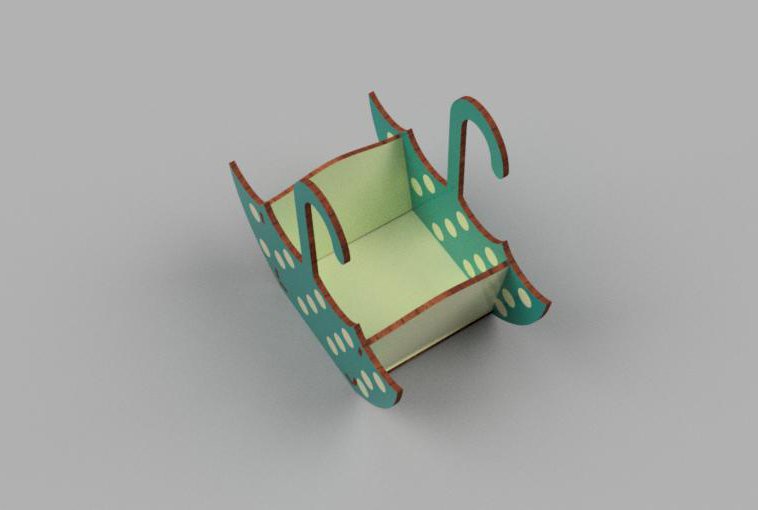
Umbrella planter box laser cut file: a polka dot umbrella-shaped basket for roses, spring flowers, wedding favors and table decor.
Assembled size
3 mm (1/8 in) → 145 × 81 × 134 mm · 5.7 × 3.2 × 5.3 in
4 mm (5/32 in) → 195 × 108 × 178 mm · 7.7 × 4.3 × 7.0 in
6 mm (1/4 in) → 290 × 162 × 268 mm · 11.4 × 6.4 × 10.6 in
Type: digital download, no physical item
Files: SVG, DXF, CDR, AI, PDF
Material: plywood or MDF, 3–6 mm (1/8–1/4 in)
Works with: Glowforge, xTool, LightBurn, CO2 and diode lasers
Description
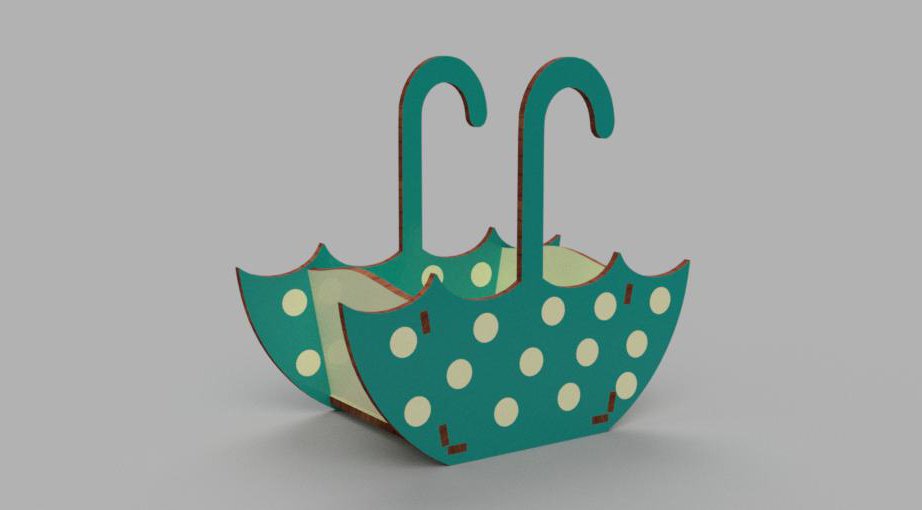
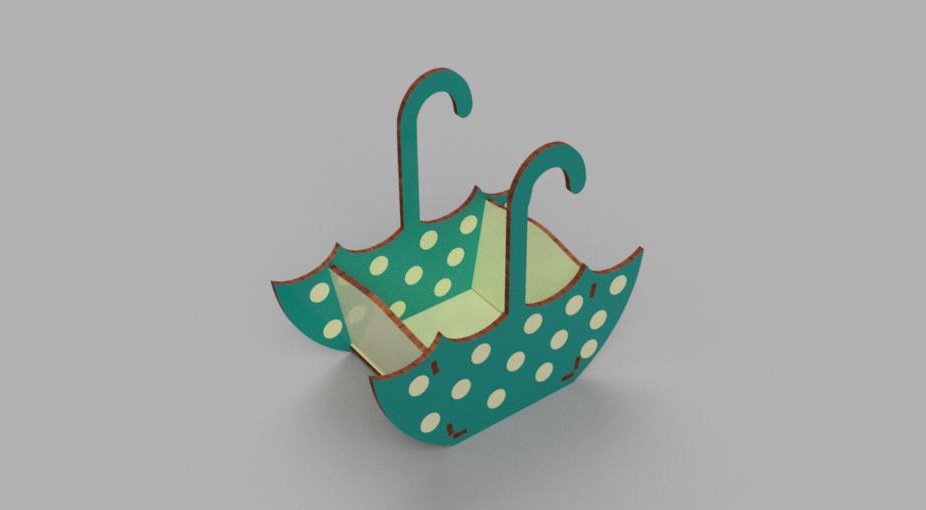
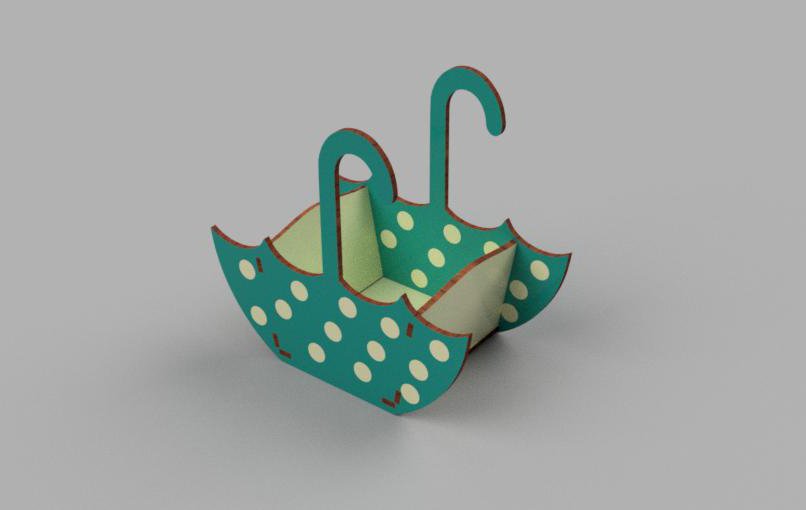
This umbrella planter box laser cut file gives you a ready-to-cut design for a flower basket shaped like two upside-down umbrellas. Each side panel curves like an open canopy with a scalloped edge and a row of polka dots, and a hooked umbrella handle rises from each end. The panels wrap around a flat inner box, so the basket holds a small pot, a jar of water, floral foam or a bundle of dried stems without any extra hardware.
The package includes three size versions for 3 mm (1/8 in), 4 mm (5/32 in) and 6 mm (1/4 in) material, so one purchase lets you cut a small favor basket, a table centerpiece or a large gift planter from the same design.
Where to use the umbrella planter box
- Spring and Easter table centerpiece: an umbrella planter box filled with roses, tulips or peonies
- Flower girl basket and bridal shower decor for weddings
- April showers, rainy day and baby shower party themes
- Gift holder for Mother’s Day, birthdays and teacher presents
- Windowsill planter for small succulents, herbs and dried flowers
- Craft market and online shop product made with your own laser
- Display piece for florists, gift stores and photo shoots
Why choose this umbrella planter box design
Most flower baskets are plain boxes with a handle. This umbrella planter box is recognizable from across the room, because the whole shape reads as an umbrella before anyone looks closely. The curved canopy panels, the scalloped lower edge and the two hooks give the basket a playful personality that suits weddings, spring parties and children’s celebrations equally well.
In the renders the polka dots show the lighter inner wall through the panels, so a two-tone build in teal or painted wood with a cream interior looks exactly like the pictures.
The handles are part of the side panels, so there are no loose pieces to lose and nothing to glue on at the end.
The base is flat and the basket sits steadily on a table, a shelf or a windowsill. Because the file comes in three thickness versions, you can test the design in 3 mm (1/8 in) material, then move up to 4 mm (5/32 in) or 6 mm (1/4 in) when you want a sturdier basket for heavier pots. The drawings are clean vectors that open in common laser software without repair.
Technical details of the umbrella planter box
What is included
One digital package with the cutting files for the umbrella planter box in five formats: SVG, DXF, CDR, AI and PDF. Each format contains the three size versions for 3 mm (1/8 in), 4 mm (5/32 in) and 6 mm (1/4 in) material.
Recommended material thickness: 3 mm (1/8 in), 4 mm (5/32 in) or 6 mm (1/4 in). Set the thickness in your software before cutting, because the slots are sized for the material you choose.
Dimensions (assembled)
- 3 mm (0.12 in): Length 145, Width 81, Height 134 mm (5.7 x 3.2 x 5.3 in)
- 4 mm (0.16 in): Length 195, Width 108, Height 178 mm (7.7 x 4.3 x 7.0 in)
- 6 mm (0.24 in): Length 290, Width 162, Height 268 mm (11.4 x 6.4 x 10.6 in)
Compatible materials: birch or poplar plywood, MDF and hardwood veneer board. Acrylic also works, but test a small part first.
File formats
- SVG: opens in LightBurn, Inkscape, Glowforge and xTool software
- DXF: for CAD programs and most CNC and laser controllers
- CDR: for CorelDRAW
- AI: for Adobe Illustrator
- PDF: for quick viewing, printing and scaling checks
Compatible machines
Glowforge, xTool, Epilog, Trotec, OMTech, Ortur, Sculpfun and other CO2 and diode lasers that accept SVG, DXF, CDR, AI or PDF vector files. A CNC router can also cut the parts when the bit diameter is set in the toolpath.
How it works
- Buy and download the files. Pick the format your software opens best and the size that matches your sheet.
- Import the umbrella planter box file into your laser software, set the material thickness and run a test cut on scrap if your wood is new to you.
- Cut the two canopy panels, the inner box parts and the handles, sand the edges lightly and dry-fit everything before using glue.
Assembly and finishing tips
Start the umbrella planter box with the inner box and check that every tab seats fully in its slot. Then slide the two canopy panels into place and dry-fit them before you add any glue, so you can see how the scalloped edges and the hooks line up.
A thin line of wood glue on each fixed joint is enough, and any excess should be wiped away right away. Sand lightly, then paint the canopy in a bold color, stain it or leave the wood natural, and finish with a clear matte spray, wax or oil. A contrasting color for the inner wall makes the polka dots stand out.
A laser cut wooden basket is not waterproof. For fresh flowers, place a small glass jar or a plastic liner inside and keep the basket away from standing water. Dried flowers, faux roses and candy can go in directly.
License
You may use the files to make and sell physical products with your own laser, including at craft markets and in online shops. Please do not resell, share or redistribute the digital files themselves. If you need a custom size or help opening a file, send a message and I will be glad to help.
FAQ
What do I receive with this umbrella planter box file?
You receive a digital download with the files in SVG, DXF, CDR, AI and PDF formats. No physical item is shipped.
Which thickness should I choose for the umbrella basket?
Use 3 mm (1/8 in) for a small favor basket, 4 mm (5/32 in) for a medium table centerpiece and 6 mm (1/4 in) for a large gift planter. The package contains all three versions.
Can I put fresh flowers in the umbrella planter box?
Yes, with a liner. Place a glass jar or a plastic container inside, because bare plywood is not waterproof and can swell if it stays wet.
Can I sell umbrella planter boxes made from this file?
Yes, you may sell the physical umbrella planter boxes you cut. Reselling or sharing the digital files is not allowed.
More laser cut files
Browse the full planters and flower pots category, the wedding and party decor files and the gift and party favor boxes. A slimmer relative of this design is the umbrella vase. New to laser cutting wood? Read how to remove burn marks from laser cut wood before you finish your umbrella planter box.
Reviews
There are no reviews yet.