




Laser Cut Wagon SVG – Vintage Horse Cart 3D Model (DXF, CDR, AI, PDF)
3,96 $
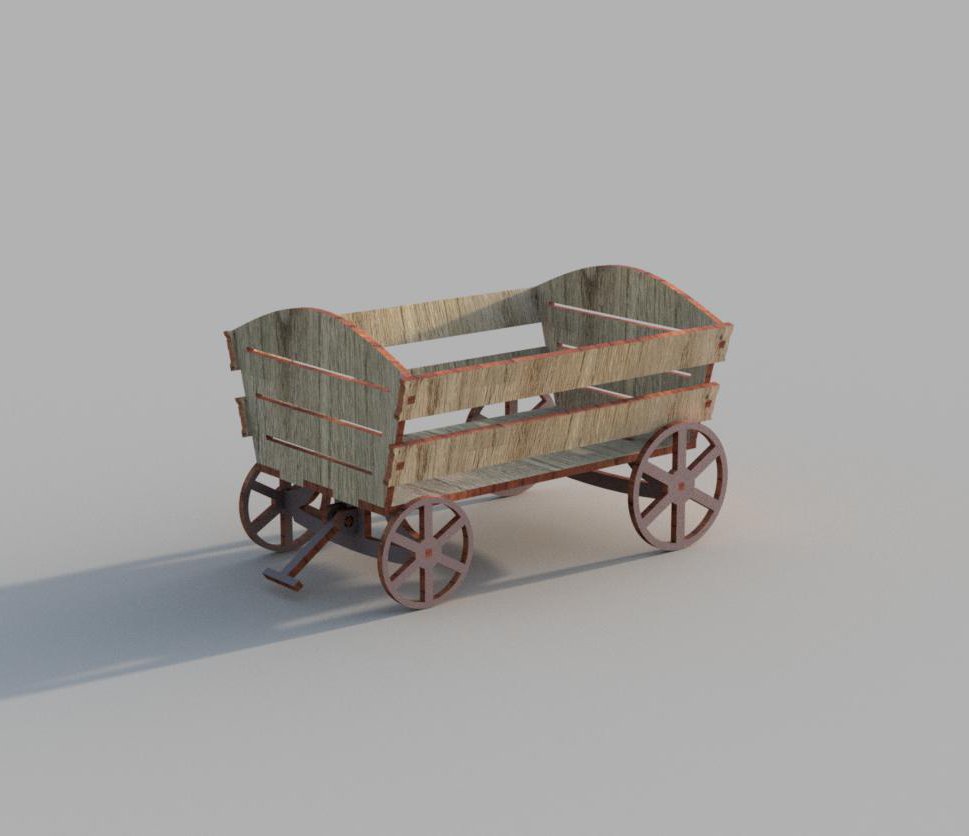
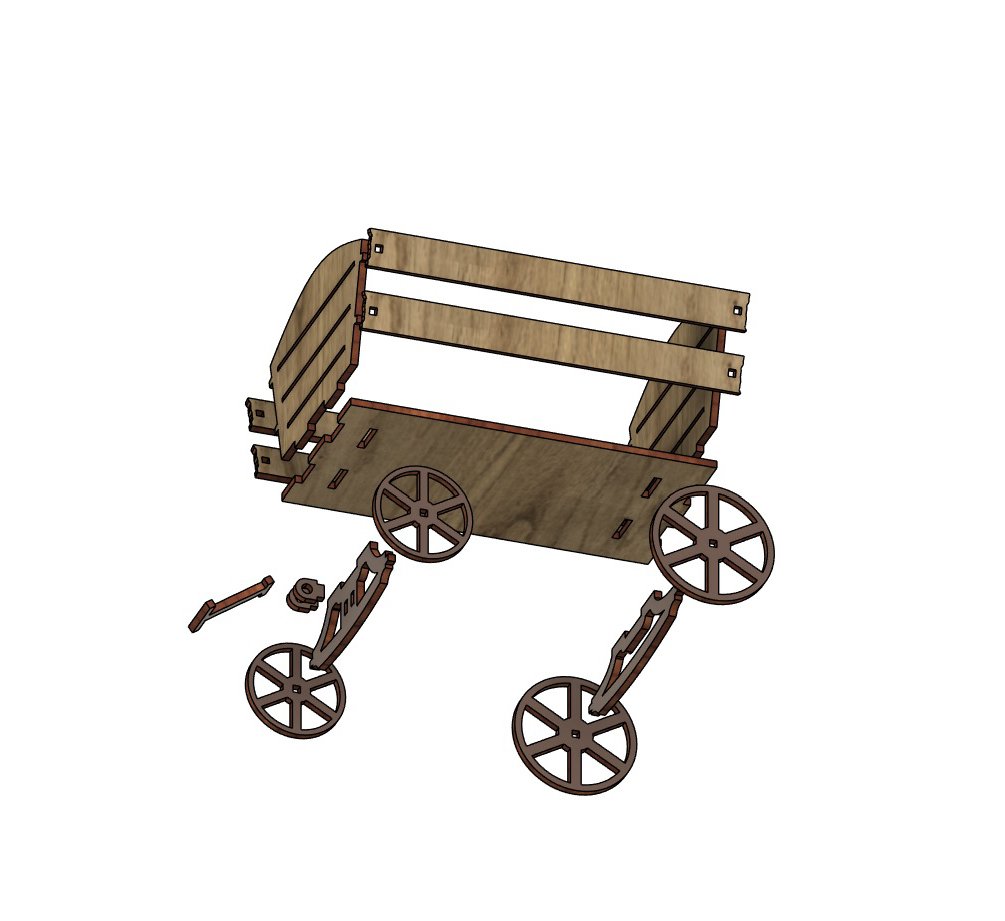
Vintage horse cart, a 3D wooden wagon model for decor and gifts.
Assembled size
3 mm → 150 × 110 × 100 mm · 5.9 × 4.3 × 3.9 in
4 mm → 200 × 145 × 135 mm · 7.9 × 5.7 × 5.3 in
6 mm → 300 × 215 × 200 mm · 11.8 × 8.5 × 7.9 in
8 mm → 400 × 290 × 270 mm · 15.7 × 11.4 × 10.6 in
Files: SVG · DXF · CDR · AI · PDF
Material: plywood or acrylic, 3 / 4 / 6 / 8 mm
Works with: Glowforge, xTool, CO2 and diode lasers
Description
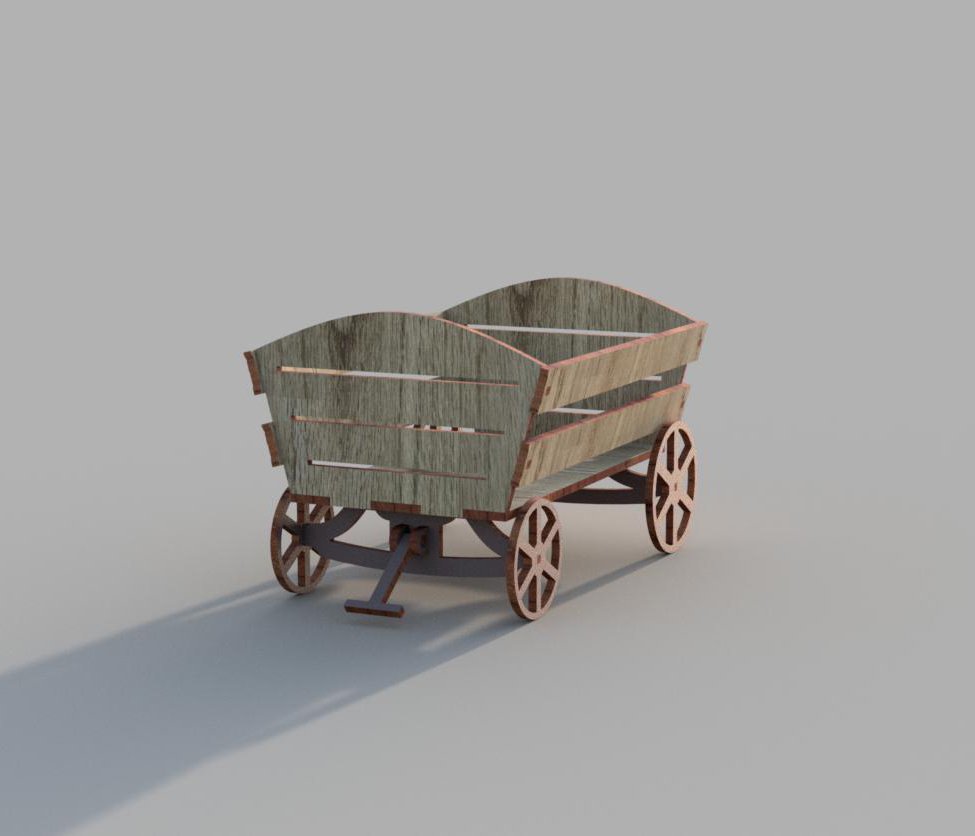
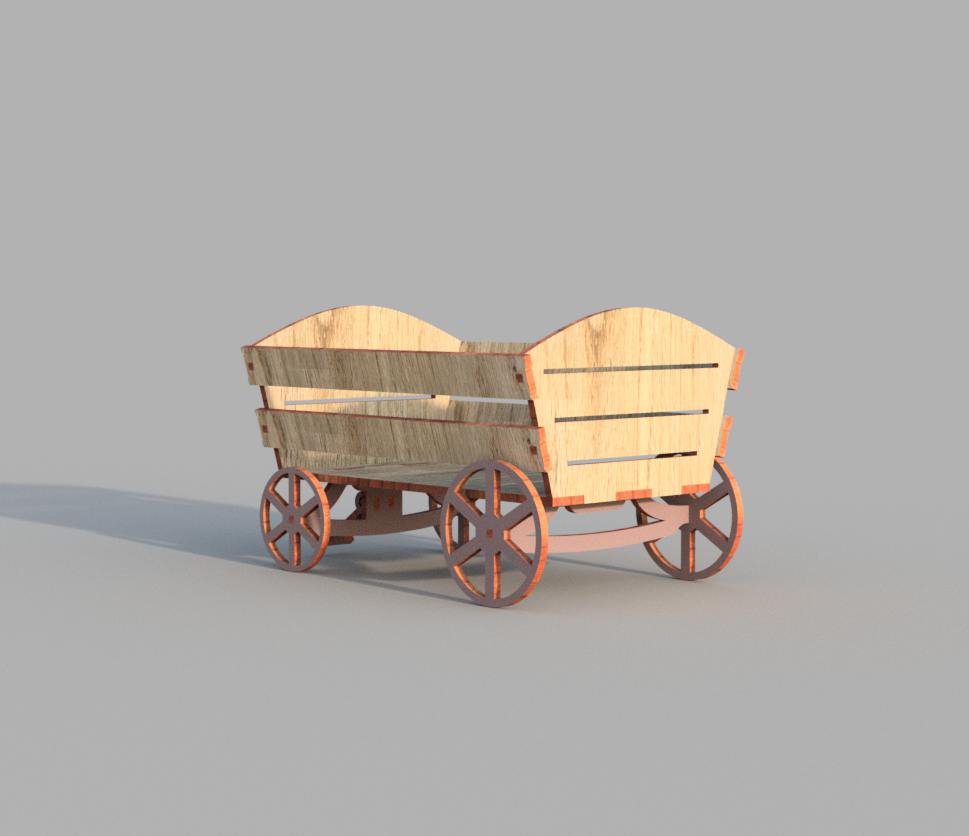
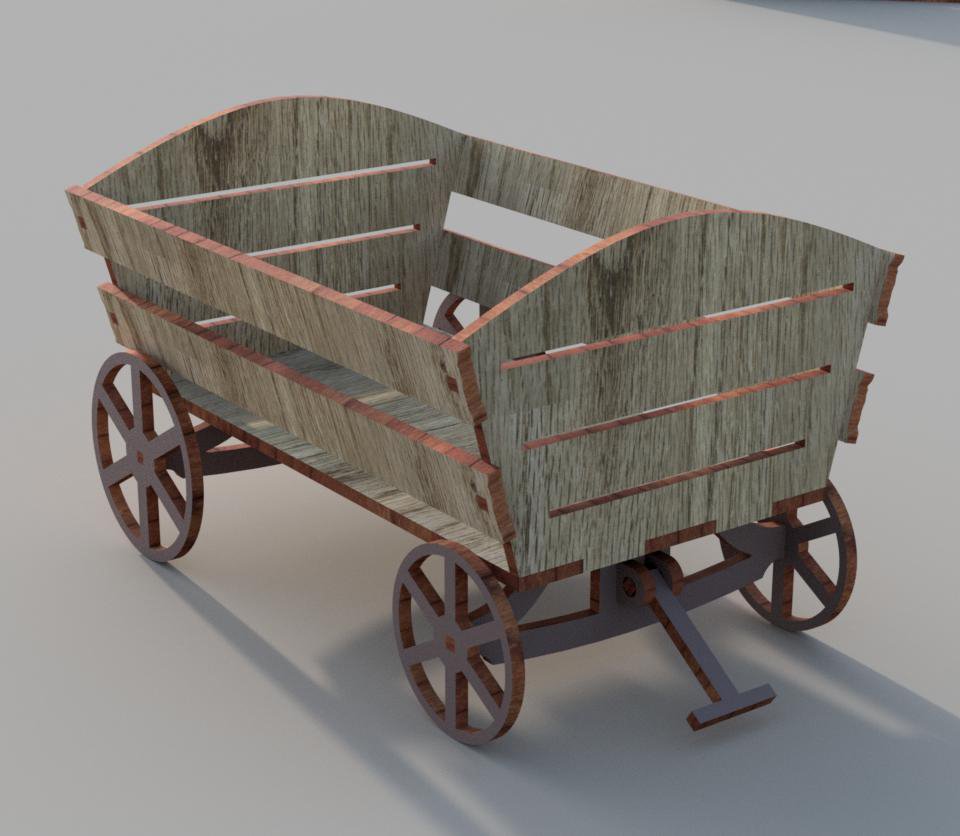
This laser cut wagon is a vintage horse cart that you cut from flat plywood and slot together into a 3D wooden model. The box-style body has slatted sides with curved ends, a lifted front seat board and four spoked wheels on a pivoting axle frame, so the cart looks like a small farm wagon. Use it as a tabletop decoration, a candy or cookie server, a planter cart or a miniature for a farmhouse scene.
The project is a vector template for laser cutting machines and CNC routers. The parts are cut flat, fit together without glue in most places and can be stained, painted or left natural. One file set covers four sizes, from a small desk piece to a large display wagon, depending on the plywood thickness you cut it from.
Where to use this laser cut wagon
- farmhouse and country shelf decor
- a serving cart for cookies, candy or party favors
- a planter wagon for small succulents or dried flowers
- a miniature cart for dollhouse and diorama scenes
- a handmade gift for horse and country lovers
- a craft fair product you can make in several sizes
Why choose this design
Many wagon files look flat once they are built. This one is made as a real 3D model: the sides overlap like wooden planks, the wheels have separate spokes and the axle frame sits under the body, so the finished piece looks like a vintage horse cart from every angle. The same file scales cleanly from 3 mm to 8 mm material, which lets you make a small gift and a large display piece from one purchase. Parts are numbered by shape and the layout is already nested for cutting, so you can send it to the laser without extra work.
Technical details of the laser cut wagon file
This is a digital file for CNC machining and laser cutting. Please note: no physical product will be shipped.
What is included
The laser cut wagon file provides high-quality vector drawings designed for CO2 and diode laser cutters, CNC routers and plotters. The design is optimized for precision and easy assembly.
Recommended material thickness: 3 mm (0.12 in), 4 mm (0.16 in), 6 mm (0.24 in) or 8 mm (0.31 in)
Dimensions (assembled)
- 3 mm (0.12 in): Length 150, Width 110, Height 100 mm (5.9 x 4.3 x 3.9 in)
- 4 mm (0.16 in): Length 200, Width 145, Height 135 mm (7.9 x 5.7 x 5.3 in)
- 6 mm (0.24 in): Length 300, Width 215, Height 200 mm (11.8 x 8.5 x 7.9 in)
- 8 mm (0.31 in): Length 400, Width 290, Height 270 mm (15.7 x 11.4 x 10.6 in)
Compatible materials: plywood and acrylic.
File formats
After purchase the following files are available for instant download: SVG, DXF, CDR, AI and PDF.
Compatible machines
Works with Glowforge, xTool and other CO2 and diode laser cutters, as well as CNC routers and plotters that read vector files. Check the kerf of your machine on a test piece before cutting the full set, because tight slots depend on it.
How it works
- Purchase the file and download the five formats right away.
- Open the file in your laser software, choose the plywood thickness and cut the parts.
- Slot the parts together, add a little wood glue where you want extra strength and finish the wagon.
License
You may use the files to make physical items for yourself and to sell finished products you cut. Selling or sharing the digital files themselves is not allowed.
Questions and support
If you have a question before or after buying, or need help with sizing, send us a message and we will answer as soon as we can.
Assembly and finishing tips
Sand the cut edges lightly to remove soot, test-fit the wheels on the axle before gluing and finish with stain or a clear coat. Thin 3 mm parts are delicate, so handle the wheel spokes with care.
Frequently asked questions
Which thickness should I choose for the laser cut wagon?
Use 3 mm for a small desk model and 6 mm or 8 mm for a large display wagon. The file is made for 3, 4, 6 and 8 mm material.
Can I use it with a diode laser?
Yes, a diode laser can cut 3 mm plywood in several passes. For thicker boards a CO2 laser or a CNC router is easier.
Do I need glue to assemble the wagon?
Most parts slot together, but a small amount of wood glue makes the cart sturdier, especially for the larger sizes.
Which file should I open first?
Open SVG for most laser software, DXF for CAD and CNC programs, and CDR or AI if you work in CorelDRAW or Illustrator.
More laser cut projects
Browse more 3D wooden puzzles and models, wooden toys and playsets and dollhouse furniture. If you are new to 3D projects, read our beginner’s guide to laser cut 3D models and the guide to the best plywood for laser cutting.


Reviews
There are no reviews yet.