Wooden Piggy Bank SVG – House Money Box Laser Cut File (DXF, CDR, AI, PDF)
3.99 $
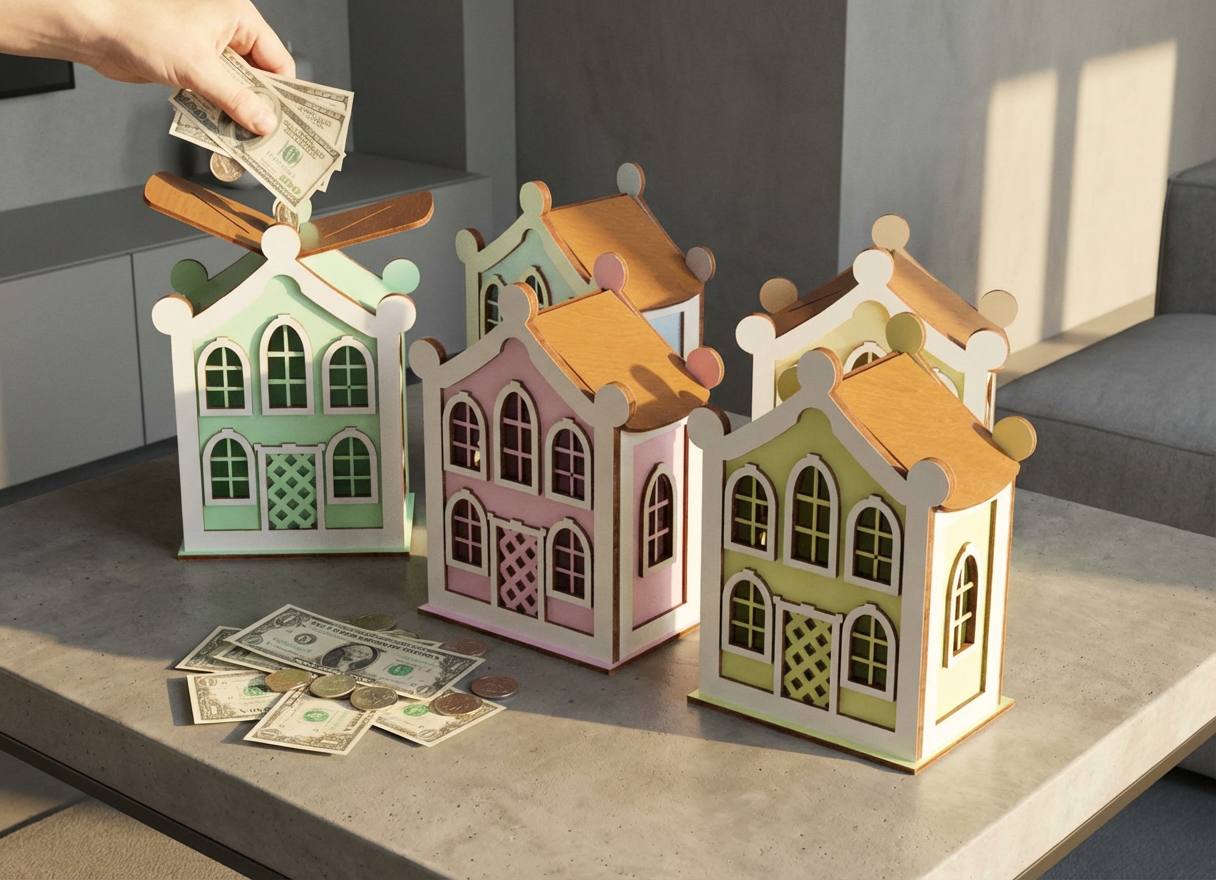
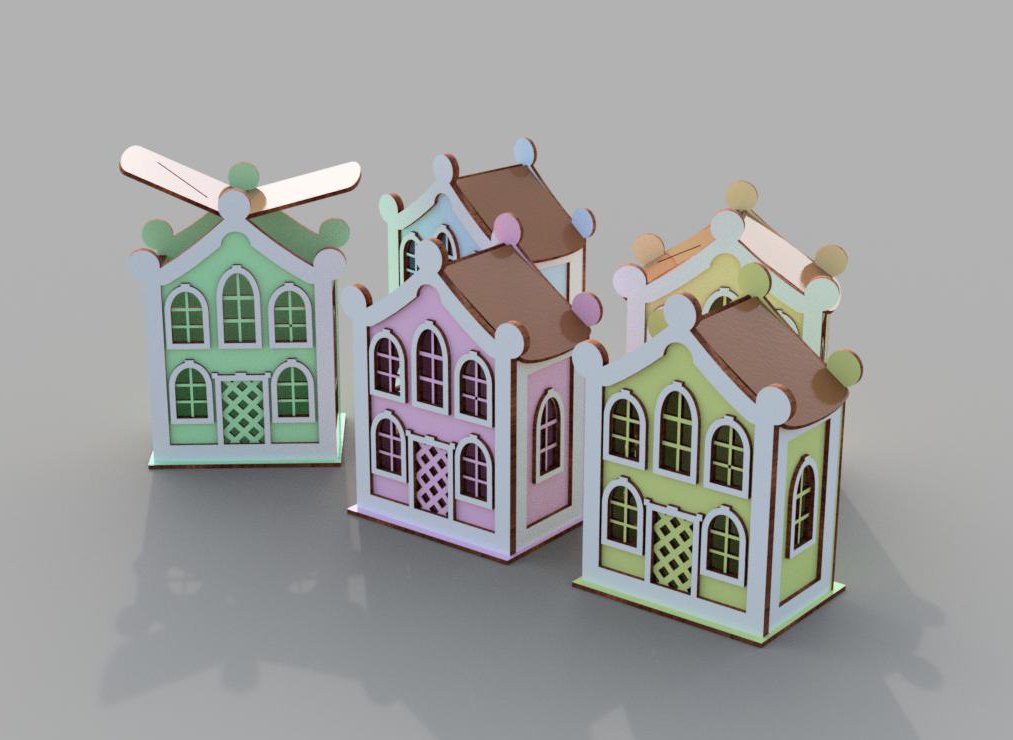
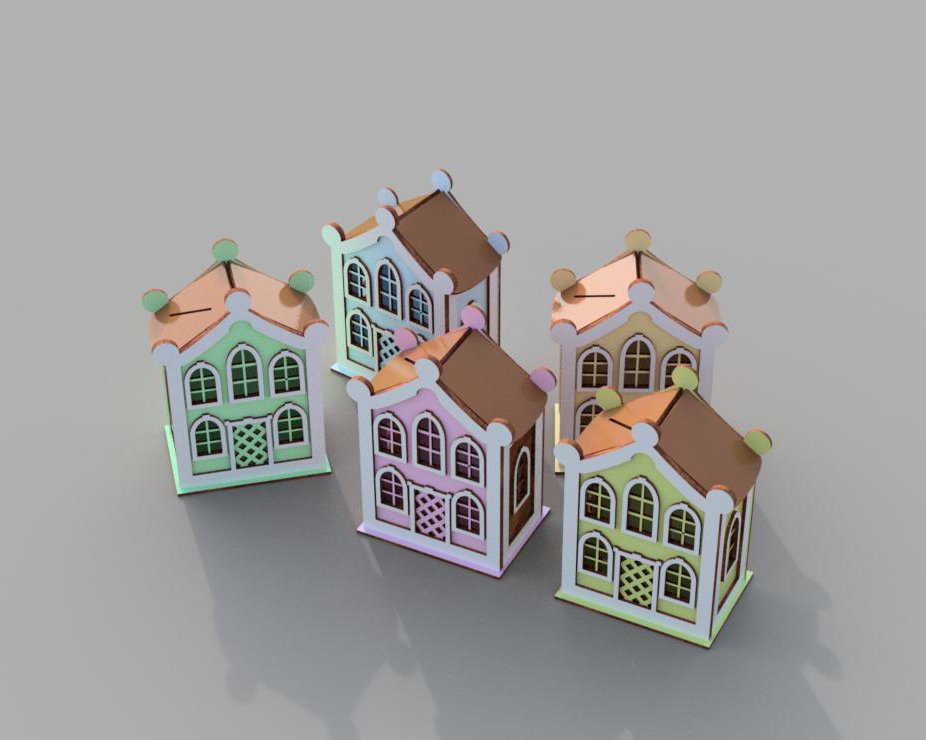
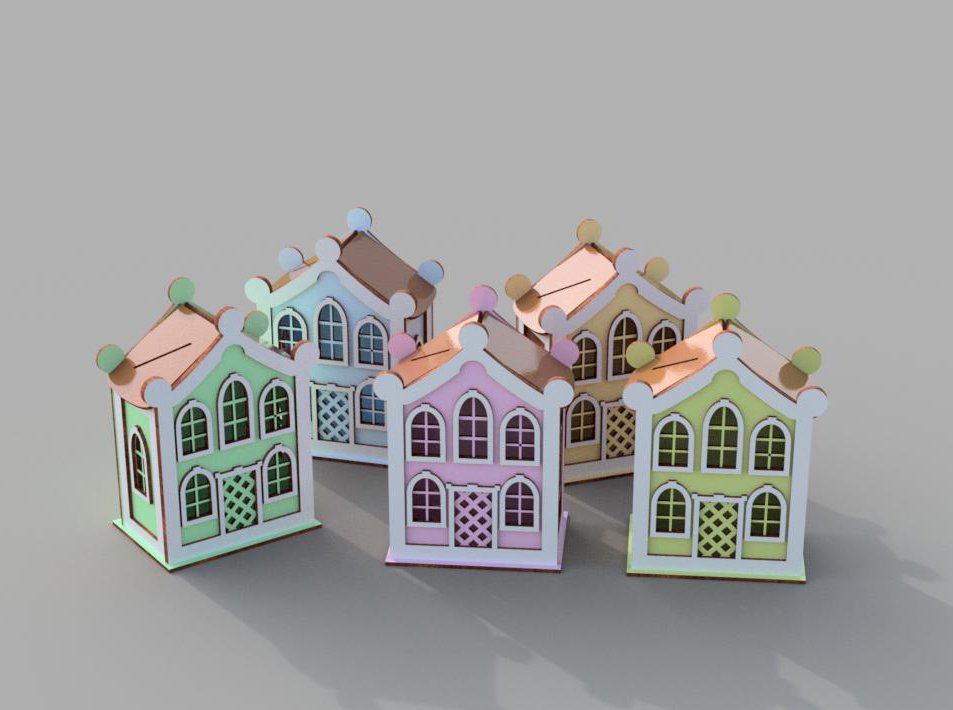
Laser cut piggy bank: a house-shaped wooden savings box with arched windows.
Assembled size
4 mm → 168 × 124 × 250 mm · 6.6 × 4.9 × 9.8 in
6 mm → 250 × 186 × 370 mm · 9.8 × 7.3 × 14.6 in
8 mm → 335 × 250 × 500 mm · 13.2 × 9.8 × 19.7 in
Type: digital download, no physical item
Files: SVG, DXF, CDR, AI, PDF
Material: plywood or acrylic, 4 / 6 / 8 mm
Works with: Glowforge, xTool, LightBurn, CO2 and diode lasers
Description
This laser cut piggy bank is a tall little house with arched windows, lattice details and a gabled roof, delivered as a digital download for your laser. The files turn plywood or acrylic into a charming piggy bank shaped like a cozy townhouse, and the design comes in three sizes so you can pick the one that suits your material and your project.
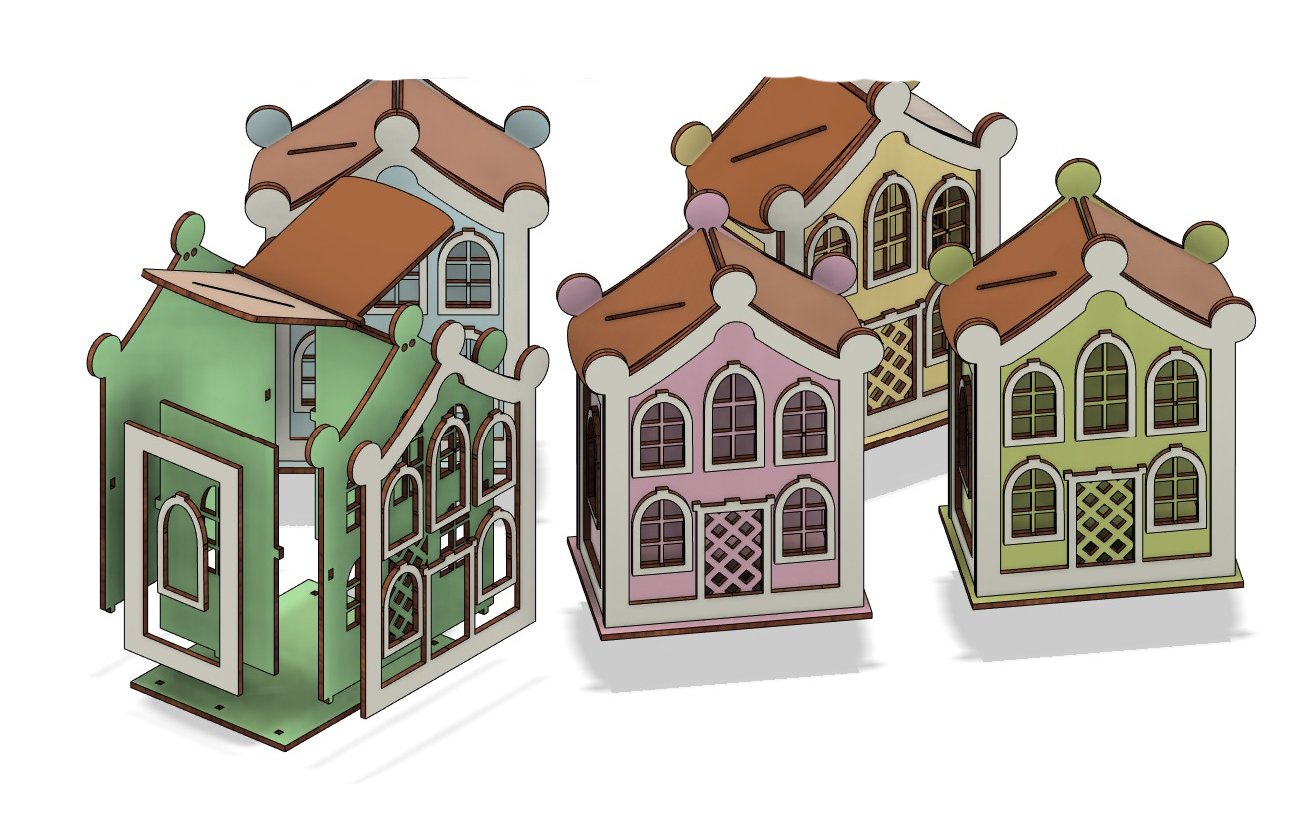
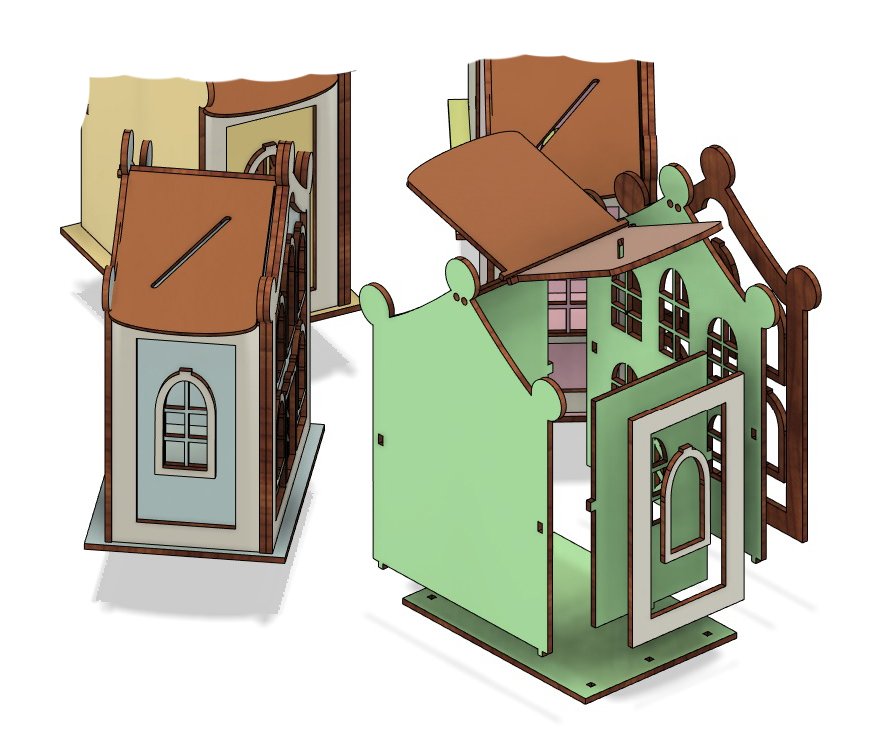
Open the digital file, send it to your Glowforge, xTool or any CO2 or diode laser, and cut the parts in a single session. The slots, tabs and roof panels are drawn so the pieces fit together, which makes this laser cut piggy bank a pleasant weekend build for beginners and a quick, repeatable product for experienced makers. Easy assembly is part of the design: tabs and slots guide every wall, window frame and roof panel into place.
Where to use this laser cut piggy bank
- A kids savings box for the bedroom shelf, where the house shape makes saving coins feel like a game.
- Birthday, holiday and baby shower gifts that are made by hand and kept for years.
- A best selling item for craft markets, school fairs and online shops that sell laser made products.
- Family workshops and classroom projects where children help with painting and decorating.
- Fundraising boxes for clubs and small charities, sized to stand out on a counter.
- Shelf decor in a nursery or playroom, as a miniature house with a practical purpose.
Why choose this laser cut piggy bank design
Most money box templates are simple rectangles. This laser cut piggy bank looks like a real house: a front facade with arched windows and a lattice panel, decorative round finials along the roof edge, and a separate roof section that gives the box a clean silhouette. The details are cut rather than engraved, so the finished piece has depth and catches the light in a way flat designs cannot.
The file is built for real production. Three sizes are offered for 4 mm, 6 mm and 8 mm material, so you can choose the size that suits your sheet without resizing the design yourself. The small version suits a desk or a child, the medium one is a classic gift size, and the large one makes a bold display piece for a shop window or a market table.
You can leave the plywood natural for a warm look, stain it, or paint every wall in a different color to build a whole street of small houses. On acrylic, the windows and lattice give a bright see-through look. Whichever way you finish it, this laser cut piggy bank keeps the same friendly character, and a set of several houses in different colors looks great on a shelf.
Technical details of the laser cut piggy bank
What is included: one digital download with the laser cut piggy bank in SVG, DXF, CDR, AI and PDF formats, for 4 mm, 6 mm and 8 mm material. No physical item is shipped, you receive the files only.
Recommended material thickness and assembled size:
- 4 mm (0.16 in): length 168, width 124, height 250 mm (6.6 × 4.9 × 9.8 in)
- 6 mm (0.24 in): length 250, width 186, height 370 mm (9.8 × 7.3 × 14.6 in)
- 8 mm (0.31 in): length 335, width 250, height 500 mm (13.2 × 9.8 × 19.7 in)
Materials: plywood, MDF, birch, basswood and cast acrylic all work well. Always measure your real material before cutting, because sheet thickness varies from supplier to supplier, and run a small test cut to confirm the fit of the slots.
Machines: Glowforge, xTool, LightBurn based setups, and any CO2 or diode laser that can open SVG, DXF, CDR, AI or PDF files. The files are vector based and ready to cut.
How it works
- Buy the digital download and open your account to get the SVG, DXF, CDR, AI and PDF files instantly.
- Import the file that matches your software, choose the version for your material thickness, and set your power and speed for cutting and engraving.
- Cut the parts, press out the pieces, and slot the walls, windows and roof together following the tabs. Sand the edges lightly and add your finish.
Assembly and finishing tips: dry fit the walls with a scrap piece first, sand the edges for a smooth touch, and paint or stain before the final assembly if you want a clean color on each part. A thin coat of clear varnish gives plywood a lasting finish.
License: You may use the files to make and sell physical products with your own laser, including at craft markets and in online shops. Please do not resell, share or redistribute the digital files themselves. If you need a custom size or help opening a file, send a message and I will be glad to help.
Frequently asked questions
Is the laser cut piggy bank easy to assemble?
Yes. The parts fit together with tabs and slots, so the assembly is simple. Most makers finish a laser cut piggy bank in about an hour.
Which file should I open for my laser?
Use SVG for most software including LightBurn and xTool Creative Space, DXF for CAD and CNC tools, CDR for CorelDRAW, AI for Adobe Illustrator and PDF for a quick preview.
Can I sell piggy banks made from this file?
Yes, you may sell the physical piggy banks you make, but please do not resell or share the digital files themselves.
What thickness should I choose?
Pick the version that matches your sheet: 4 mm for the small house, 6 mm for the medium house and 8 mm for the large one. Measure your material first and test the fit on a scrap.
Looking for more ideas? Browse our laser cut storage boxes, our gift and party favor boxes and our 3D wooden models, or read the laser cutting guides on our blog. A similar house design is the house mailbox laser cut file.



Reviews
There are no reviews yet.