Planter Box SVG – Handle Carrier Laser Cut File (DXF, CDR, AI, PDF)
$2.79
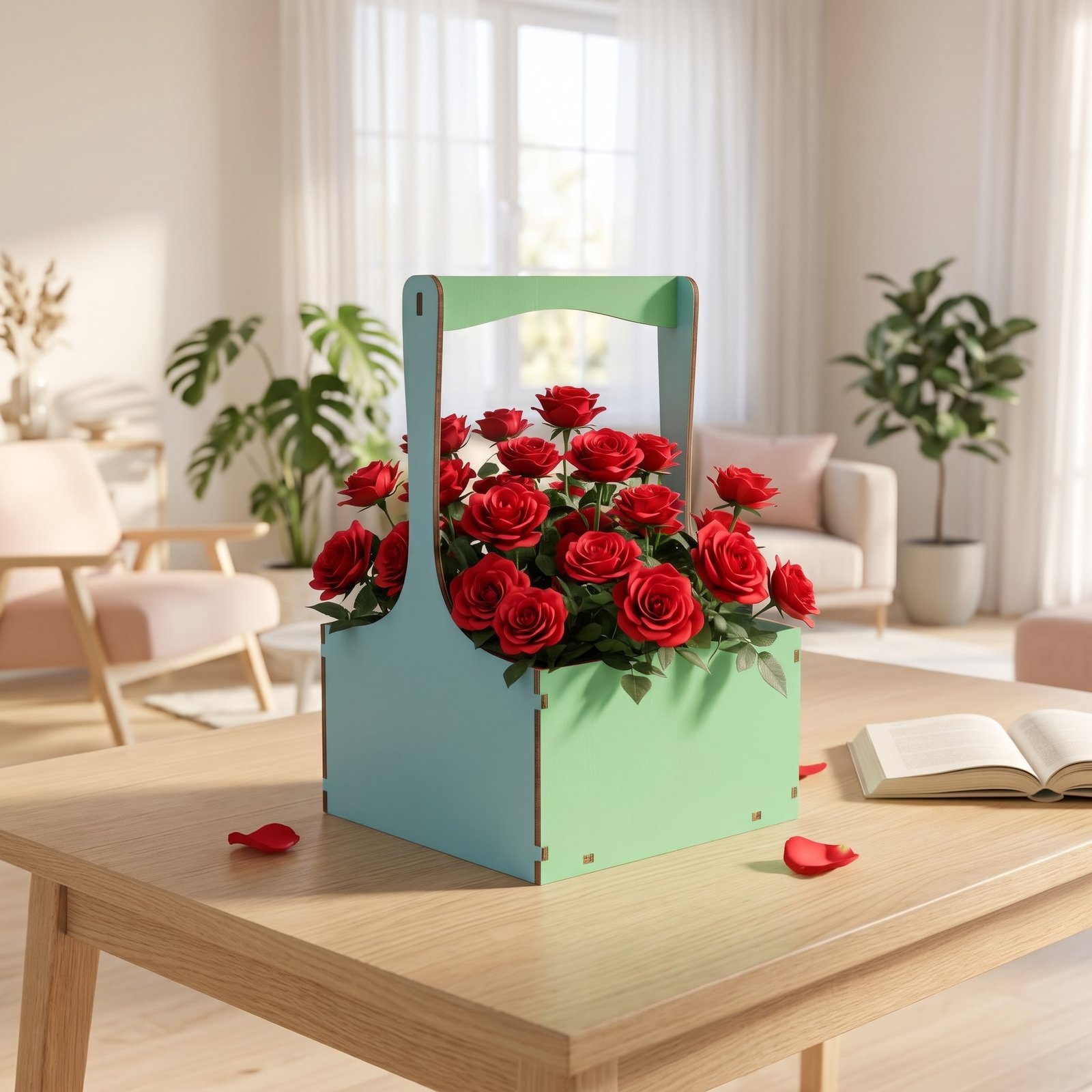
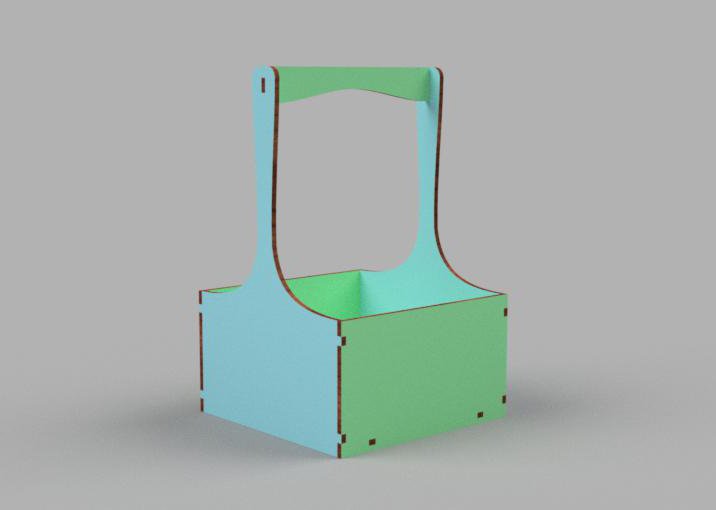
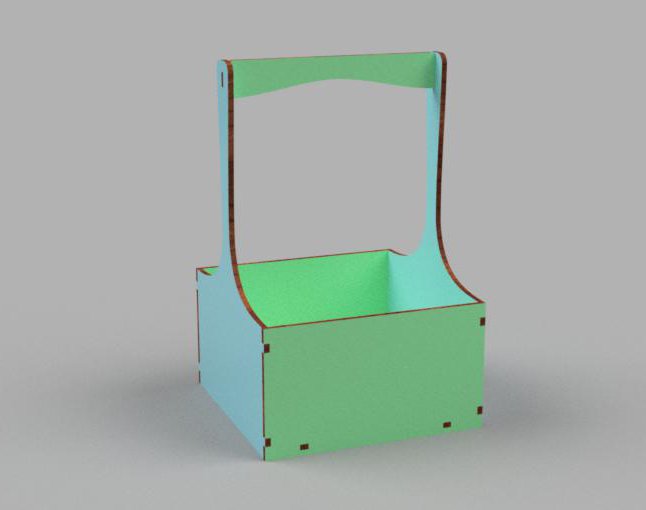
Planter box SVG laser cut file: a square carrier with solid walls and a tall handle, in three sizes for 3, 4 and 6 mm material.
Assembled size
3 mm (1/8 in) → 118 × 112 × 188 mm · 4.6 × 4.4 × 7.4 in
4 mm (5/32 in) → 158 × 150 × 250 mm · 6.2 × 5.9 × 9.8 in
6 mm (1/4 in) → 237 × 225 × 376 mm · 9.3 × 8.9 × 14.8 in
Type: digital download, no physical item
Files: SVG, DXF, CDR, AI, PDF
Material: plywood or acrylic, 3, 4 and 6 mm
Works with: Glowforge, xTool, LightBurn, CO2 and diode lasers
Description
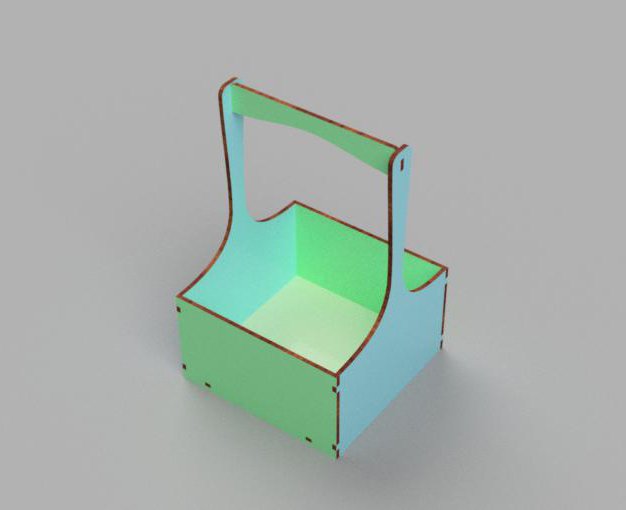
This planter box SVG gives you the cutting layout for a square carrier with four solid walls, curved side panels and a tall handle joined by a shaped top bar. It is a digital download. You receive vector files, cut the parts on your own laser and build the piece from plywood or acrylic.
Where to use the planter box SVG
- A cover box for a nursery pot on a windowsill or porch table
- A herb gift for a housewarming, with the pots set inside
- A teacher or neighbor present filled with small treats
- Table styling for a rustic wedding or a family lunch
- A condiment or napkin carrier for outdoor meals
- A paint your own planter box SVG project for a craft class or market stall
Think about the season when you finish it. Soft pastel paint suits spring gifts, warm stain fits an autumn table, and white paint looks neat at a winter dinner. The planter box SVG stays the same, while the finish changes the mood. A ribbon or a paper tag tied to the handle turns it into a ready present wrapper that the recipient can keep and use again.
In a hallway or kitchen it can also gather small things that tend to wander, such as seed packets, garden labels, brushes or tea bags. At a craft stall it holds price cards and sample goods and is easy to move when you pack up.
Why choose this design
Closed walls are the main point of this model. They hide the plastic nursery pot, saucer or wrapping inside and leave a clean flat face on every side. That flat face is also a convenient place to decorate: you can add your own engraved name, a house number or a short greeting in your laser software before cutting.
The planter box SVG outline stays simple. Side panels rise in a smooth curve into the two handle posts, so the shape looks light even though the lower part is a plain box. With few openings to cut, the planter box SVG is also an approachable job for someone who is still learning speed and power settings.
Two colors work especially well here. Paint the walls with the handle posts one shade and the other pair of walls with the top bar a second shade, or keep the whole piece in natural wood with a clear coat.
Choosing a size is easier when you start from the contents. The small version suits little favors and mini pots. The middle one gives more room for a gift selection. The large one makes a bold table or shelf piece and uses the thickest sheet. All three keep the same proportions, so a group of them looks like a family.
Technical details of the planter box SVG file
What is included
- Cutting layouts prepared for 3 mm, 4 mm and 6 mm material
- Five vector formats of the same design
- A digital download only, with no wood, acrylic, plants or assembled box sent to you
Dimensions (assembled)
- 3 mm (1/8 in): 118 × 112 × 188 mm, or 4.6 × 4.4 × 7.4 in
- 4 mm (5/32 in): 158 × 150 × 250 mm, or 6.2 × 5.9 × 9.8 in
- 6 mm (1/4 in): 237 × 225 × 376 mm, or 9.3 × 8.9 × 14.8 in
These are outside measurements and include the handle. Before you plan what goes inside the planter box SVG build, subtract the wall thickness from the length and width, and measure the widest point of your pot or jar.
File formats
- SVG for Glowforge, xTool Creative Space and Inkscape
- DXF for CAD programs and many laser controllers
- CDR for CorelDRAW
- AI for Adobe Illustrator
- PDF for checking the layout or importing as vectors
Compatible machines
Use the vectors with Glowforge, xTool and other CO2 or diode lasers that can cut the thickness you select. Compare the part sizes with your bed before buying sheet material, because the largest version needs noticeably more room than the smallest.
Compatible materials
The planter box SVG is made for plywood or acrylic in 3, 4 or 6 mm. Match the size version to the sheet you actually have.
Keep your original download in one folder and work on a copy. That way you can adjust the planter box SVG for a new sheet, add engraving to the copy and still return to the clean version later. Name each copy with the material and thickness, for example plywood 4 mm, so you can find the right planter box SVG quickly when a repeat order arrives. A short note with the date of your last test cut is useful too.
How it works
- Purchase the planter box SVG set and save the download from your order page or email.
- Open the preferred format, pick the thickness version and run a short test cut.
- Cut all parts, check the fit of the tabs and slots, then build and finish the box.
If a file will not open, write to us through the contact page and name your program and machine so we can help.
Assembly and finishing tips
Before cutting the planter box SVG, check your sheet with calipers. A panel sold as 3 mm may measure a little under or over, and that changes how tightly the tabs sit. Cut one corner joint from scrap and adjust the kerf offset until it feels right.
After importing the planter box SVG, confirm the width and height against the size table, because some programs rescale vectors on import. Never scale single parts on their own, or the slots will stop matching.
Masking tape over the wood reduces smoke marks on the faces that stay visible. Peel it off after cutting, then sand the edges lightly with fine paper. Hold the sheet flat on the bed so every tab is cut through.
Lay the base on the table and fit the walls one at a time. Add the handle posts and top bar, then check from the front that the handle stands straight. Parts fit together with tabs and slots, so the order is easy to follow.
Paint is easiest to apply while the pieces are still flat. Keep thick coats away from the slots and let everything dry fully before building. For outdoor tables choose a finish suited to damp conditions.
Wood and slotted joints are not watertight. Keep soil and plants in an inner pot with a saucer, or place a waterproof liner in the finished planter box. Test how your material carries weight before lifting a heavy load by the handle, and support the base of the large size with one hand.
Makers who sell at fairs can cut several sets of the planter box SVG parts in advance and store them flat. Buyers can then choose a color, and you build to order. Set your price after counting sheet material, finishing supplies, machine time and your own hours.
For a set, cut two or three sizes and group them on a shelf. The shared outline ties the group together while the heights add variety. Photograph the finished pieces from the front and from a corner, so shoppers can judge both the handle curve and the depth of the box.
Before you cut a batch of the planter box SVG, finish one complete sample. It shows you the real fit, the smoke level on your material and how long a set takes on your machine. Write down the settings that worked and keep the note with your file.
In LightBurn, put every outline on one layer in line mode and check that nothing is set to fill. In Glowforge or xTool software, upload the SVG and choose the cut operation for the outlines. Preview the job to confirm the order of the cuts and the estimated time.
Leave a narrow margin between parts and the sheet edge, and use magnets or pins that your machine allows to keep the board from lifting. Watch the laser while it runs, keep the exhaust on and clean the bed afterwards.
Acrylic behaves differently from wood. Use a sheet that is approved for laser cutting, handle thin sections gently and avoid forcing a tight tab, since acrylic can crack. If a joint is too stiff, adjust the kerf offset and cut that planter box SVG part again.
License
Physical items you cut from the design may be sold. The digital files may not be resold, shared or given away, whether unchanged or edited.
Frequently asked questions
Will I receive a finished box?
No. The planter box SVG is a digital download, and nothing is shipped to you.
Is the box easy to assemble?
Yes. The parts join with tabs and slots. Do a trial fit first and sand any tight edge a little.
Can I open the files in LightBurn?
Yes, LightBurn imports the SVG, DXF, AI and PDF versions.
Can I sell planter boxes made from this file?
Yes, you can sell the physical boxes you make. The planter box SVG files themselves stay for your own use.