Flower Basket DXF – Cross Brace Handle Laser Cut File (SVG, CDR, AI, PDF)
$2.79
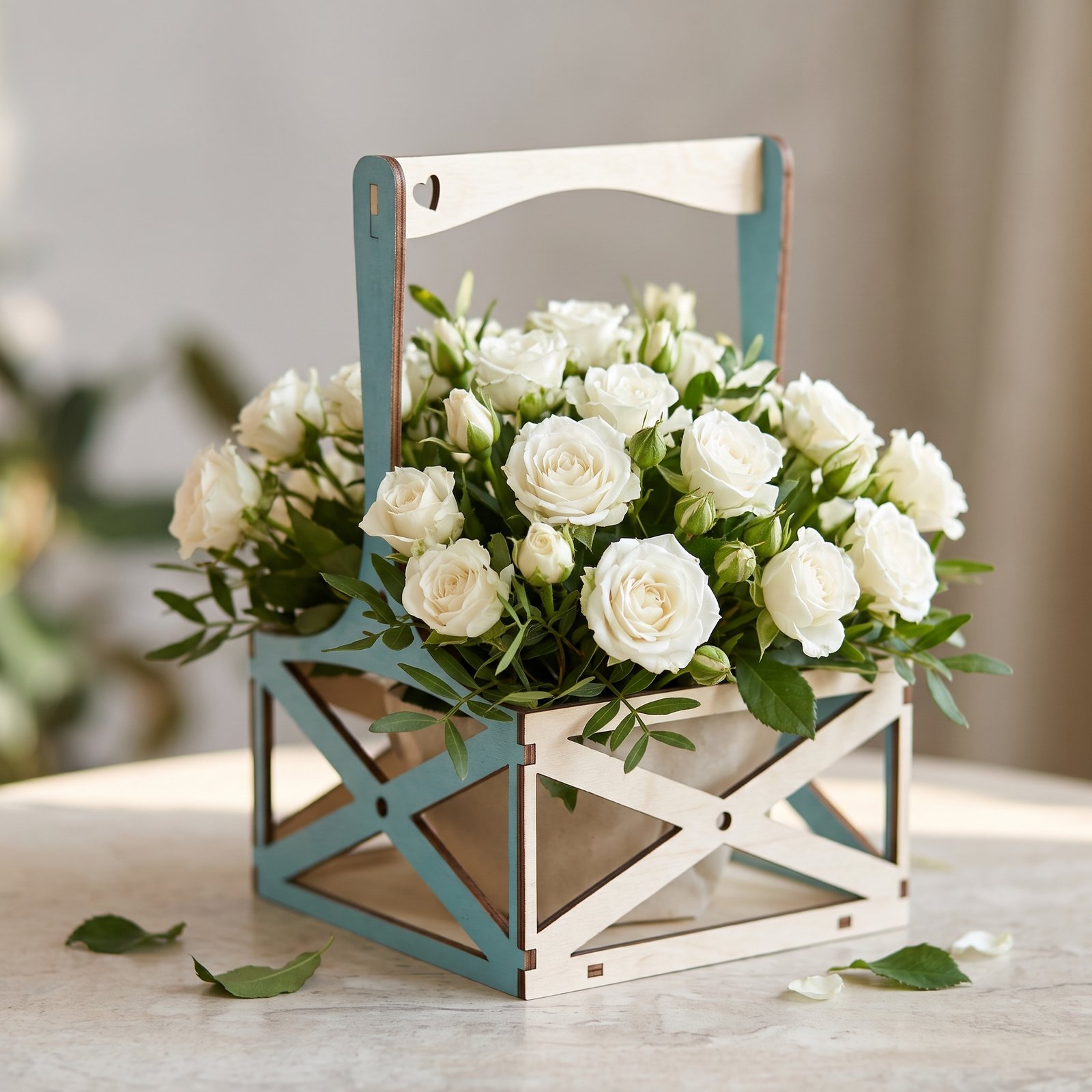
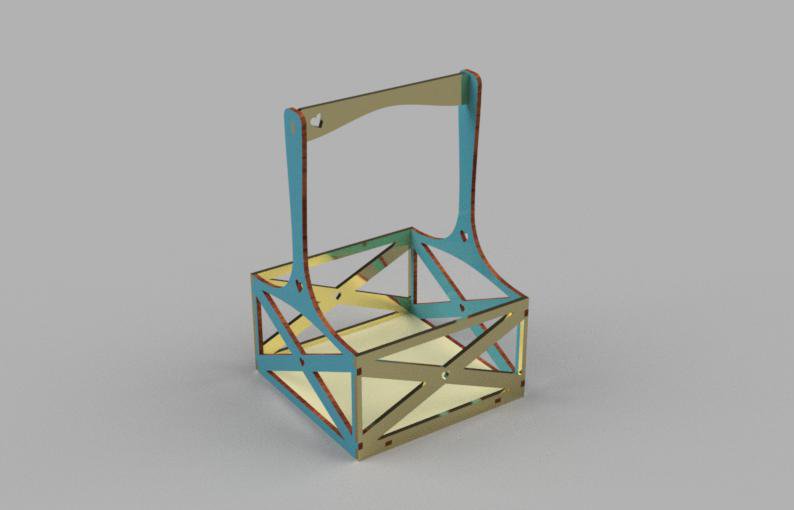
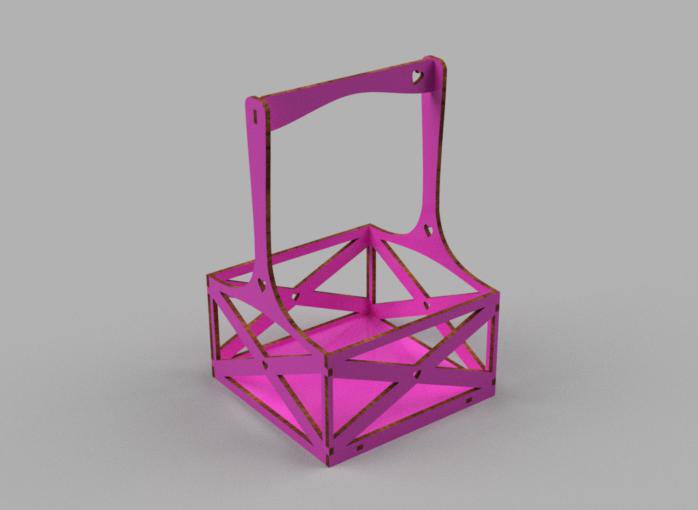
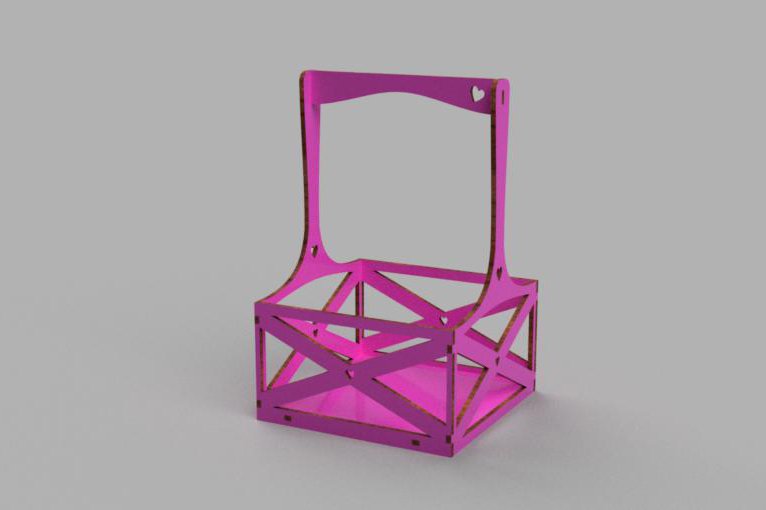
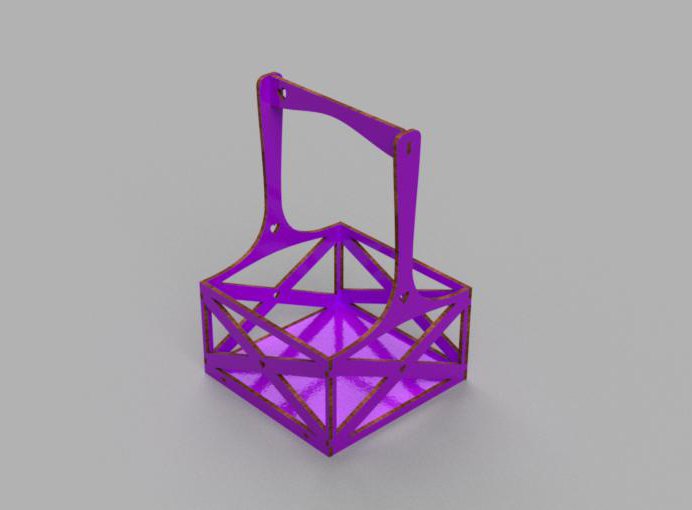
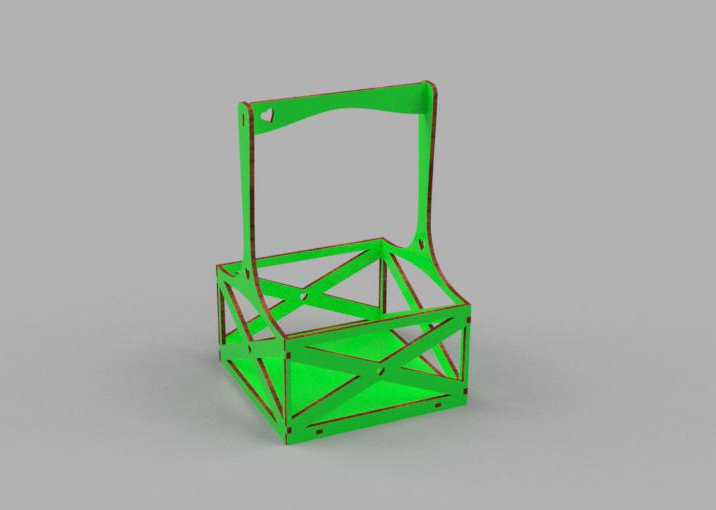
Flower basket DXF laser cut file: a square handle basket with open cross brace walls and a small heart cutout, in three sizes for 3, 4 and 6 mm material.
Assembled size
3 mm (1/8 in) → 118 × 112 × 188 mm · 4.6 × 4.4 × 7.4 in
4 mm (5/32 in) → 158 × 150 × 250 mm · 6.2 × 5.9 × 9.8 in
6 mm (1/4 in) → 237 × 225 × 376 mm · 9.3 × 8.9 × 14.8 in
Type: digital download, no physical item
Files: SVG, DXF, CDR, AI, PDF
Material: plywood or acrylic, 3, 4 and 6 mm
Works with: Glowforge, xTool, LightBurn, CO2 and diode lasers
Description
This flower basket DXF file set cuts into a square carrier with open cross brace walls, a tall two post handle and a curved top bar with a small heart cutout. It is a digital download: you receive the cutting files and make the parts on your own laser, from plywood or acrylic, for gifts, table styling or your craft stall.
Where to use the flower basket DXF design
- Table centerpieces for weddings, bridal showers and garden parties
- A carrier for a jar or small pot of fresh or dried stems
- Mother’s Day, birthday and housewarming gift presentation
- Holding jars, candles, cosmetics or small treats
- Shop window and market stall displays
- A product to cut, finish and sell at spring and summer fairs
The parts cut from the flower basket DXF can suit different seasons. Leave the wood natural with a clear finish for a rustic table, paint it white for a wedding, or pick bright colors for a spring market. Add a ribbon around the handle, or tie a paper name tag to one of the braces, to personalize each basket without changing the cutting files.
If you make several for one event, cut and paint them in a batch so the colors match across all of the tables.
For table styling, place the finished flower basket DXF carrier on a runner and set a glass jar inside, then repeat it along a long table or use a single large one near the entrance. For a gift, fill it with paper shred and add soap, candles, tea or wrapped sweets so the items show through the open sides.
In a shop window it works as a raised holder for small products with price cards. Choose the flower basket DXF size by what has to fit inside: measure the jar or bottle first and compare it with the inner space of the version you plan to cut, remembering that the outer measurements include the thickness of the walls.
Why choose this design
Each side of the flower basket DXF design is built as a frame with crossed diagonal braces, similar to a small farm crate. The large openings mean there is no dense pattern to cut and no engraving needed, and whatever you place inside stays visible. The shape also takes two colors well: paint or stain the handle posts one shade and the braces another before you assemble the parts.
The flower basket DXF download includes three prepared sizes, one for each of three material thicknesses, so you can choose a small favor carrier, a medium gift basket or a large display piece without rescaling the joints yourself. The tall handle makes the finished basket easy to lift and move around a table.
The flower basket DXF is also a practical project for learning how slotted parts go together. The structure is easy to read: one base, four braced sides and a handle. You can see where each piece belongs during the dry fit, which helps before the final build.
If you sell at fairs, an open frame is quick to show in photos because the contents are visible from every side.
Makers who sell at markets can prepare the flower basket DXF parts ahead of time and keep them flat until an order arrives. Flat parts take little storage space, and a customer can pick the paint color before you assemble the piece. Decide on your own selling price after adding up material, finishing supplies, machine time and your work.
An unpainted version suits buyers who like to decorate it themselves, for example at a craft party.
Technical details of the flower basket DXF files
What is included
- Cutting files for 3 mm, 4 mm and 6 mm material
- The same design in five vector formats
- A digital download only, with no wood, acrylic or finished basket sent to you
Dimensions (assembled)
- 3 mm (1/8 in): 118 × 112 × 188 mm, or 4.6 × 4.4 × 7.4 in
- 4 mm (5/32 in): 158 × 150 × 250 mm, or 6.2 × 5.9 × 9.8 in
- 6 mm (1/4 in): 237 × 225 × 376 mm, or 9.3 × 8.9 × 14.8 in
File formats
- SVG for Glowforge, xTool Creative Space and Inkscape
- DXF for most CAD and laser control programs
- CDR for CorelDRAW
- AI for Adobe Illustrator
- PDF for viewing and for programs that import vector PDF
Compatible machines
The flower basket DXF vector lines can be used with Glowforge, xTool and other CO2 or diode lasers that can cut your chosen thickness. Check that your work area fits the parts of the size you pick, especially for the 6 mm version.
Compatible materials
Plywood or acrylic in 3, 4 or 6 mm, matched to the size version you choose.
How it works
- Buy the flower basket DXF files and download them from the order page or your email.
- Open the format your software reads, choose the version that matches your material and set speed and power on a test piece.
- Cut the parts, check the fit and put the basket together.
Questions about opening a file? Send us a message from the contact page and tell us which software and machine you use.
Before cutting a full sheet, open the flower basket DXF and confirm that the overall measurements match the size you want, since some programs change the scale during import. Compare one part against the assembled dimensions listed above. Keep the cut lines as vectors and set them to cut in your software. Secure the sheet flat on the bed so that the small joints come out clean on both sides.
If you work in LightBurn, import the flower basket DXF file, check the size in the width and height boxes, and put all cut paths on a layer set to line mode. In the software that comes with your Glowforge or xTool machine, upload the SVG, select the cut operation and confirm that nothing is set to engrave by mistake.
Arrange the parts with a small gap between them to save material, but do not resize individual pieces, because the slots are drawn for a particular sheet thickness. If your sheet is noticeably different from 3, 4 or 6 mm, run the test joint before committing to the whole set.
Keep ventilation running and never leave the laser unattended while it is cutting.
Assembly and finishing tips
Before cutting the flower basket DXF parts, measure your sheet with calipers, because real plywood is often thinner or thicker than its label. Cut one joint as a test and adjust the kerf in your laser software if the fit is loose or tight. Dry fit the base, the four braced walls and the handle before the final build.
Sand scorch marks lightly or mask the sheet with paper tape before cutting. The open walls will not hold water or soil, so put fresh plants in a separate waterproof pot or jar.
Acrylic needs a different approach from wood when you cut the flower basket DXF. Use cast or extruded sheet that your machine can cut safely, keep the protective film on while cutting if your settings allow it. Narrow braces can bend or crack if they are forced, so press the joints together gently and evenly.
Plywood is more forgiving for a first build and takes paint and stain well.
A simple order of work makes the flower basket DXF build tidy. Lay out all parts and remove the cut pieces from the openings in the braced walls. Paint or stain the flat parts if you want two colors, keeping paint out of the slots so they still fit.
Once dry, join the walls to the base, fit the handle posts, and add the curved top bar last. Work on a level surface and press each tab fully into its slot.
Check that the posts stand straight before you finish. Carry only light contents until you have tested how your chosen material holds up, and support the base with a hand when the large size is filled.
License
You may cut and sell finished physical items made from this design. You may not resell, share or give away the digital files, either as they are or after editing them.
Frequently asked questions
Is this flower basket DXF a finished basket?
No. You are buying a digital download with cutting files. Nothing is shipped.
Which material thickness can I use?
The files are prepared for 3 mm, 4 mm and 6 mm plywood or acrylic.
Can I open the files in LightBurn?
Yes, LightBurn imports the flower basket DXF file, as well as the SVG, AI and PDF versions.
Can I sell baskets made from this file?
Yes, you can sell the physical baskets you cut. The files themselves cannot be resold or shared.